VIRTUAL TRANSCEIVER · HF / NET / POC
The world's radio receivers, behind one front panel.
Etere.AI is a transceiver that lives on your Mac and iPhone. Turn the dial to hear shortwave from receivers around the globe, switch to amateur digital networks, or press to talk on Mumble and Zello. And when you don't know where to look, ask the operator.
10 minutes free a dayEvery module works in the app before you buy it, with DEMO on its front.
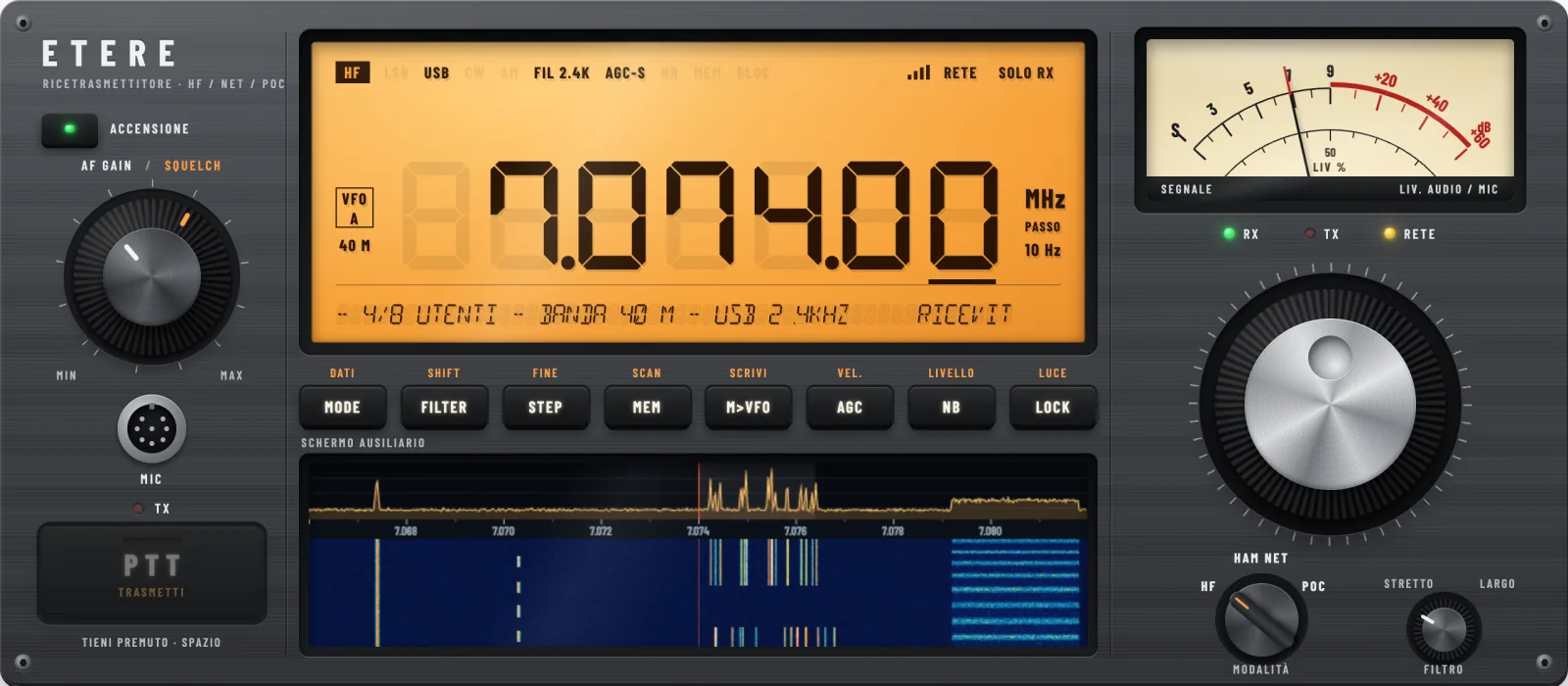
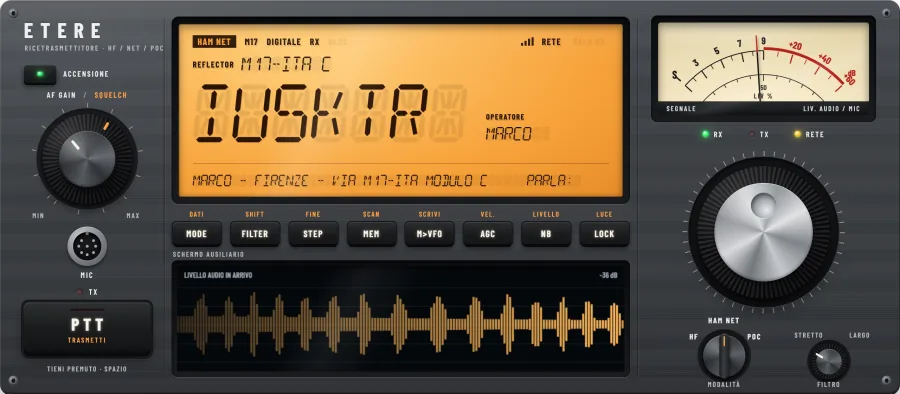
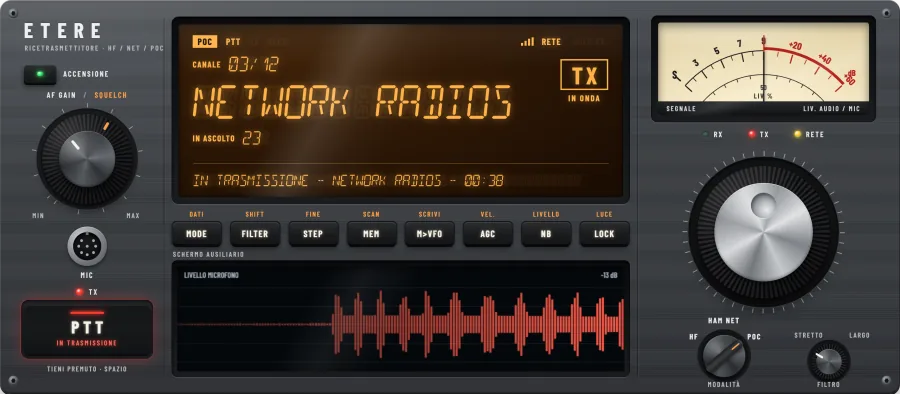
Three positions, three kinds of radio
The mode switch works like the one on a real transceiver. Each position connects the same dial, display and speaker to a different part of the airwaves.
-
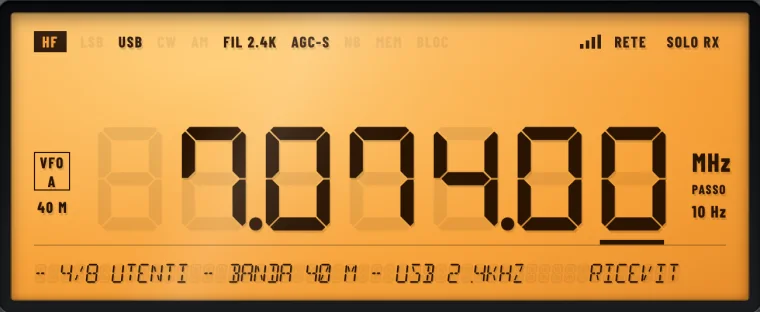
HFListen to the bands
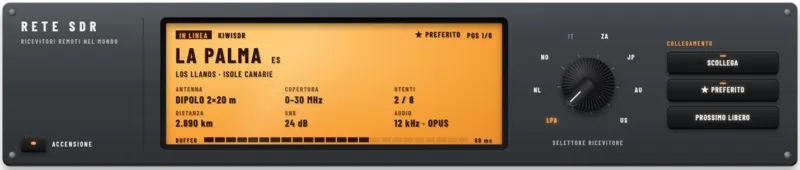
Shortwave comes from KiwiSDR, UberSDR, SpyServer and PhantomSDR receivers that radio amateurs share online, the FM band from FM-DX Webserver stations, VHF and UHF from OpenWebRX. Etere.AI lists the closest ones first and, if a receiver drops, moves to the next one by itself.
Receive only, nothing to set up.
-
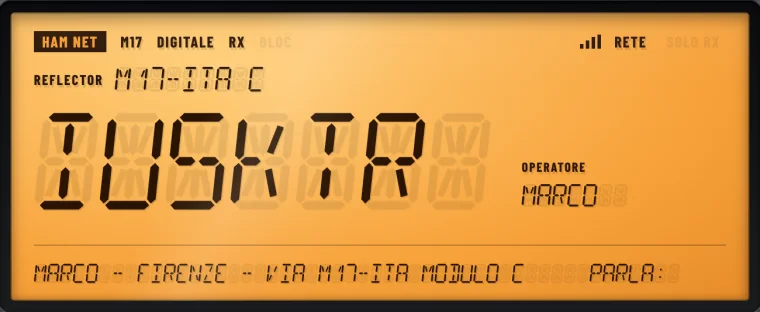
HAM NETAmateur digital voice
Join M17 reflectors, which carry voice with the open Codec 2 codec, connect to AllStarLink nodes that link repeaters across continents, or to EchoLink.
Transmitting needs an amateur radio licence and your callsign.
-
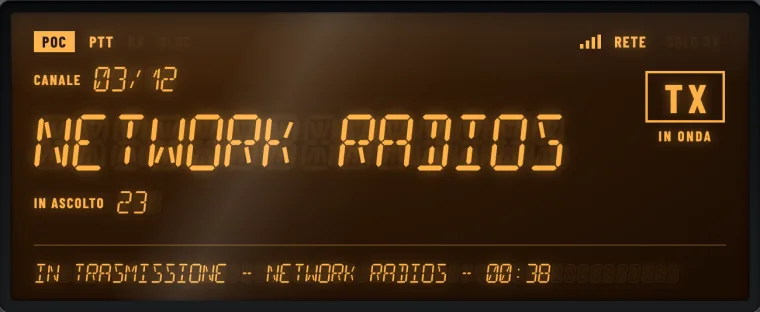
POCPush to talk over the internet
Mumble servers and Zello channels, the voice networks many clubs and groups already use. Hold PTT, or the space bar on Mac, and speak.
No radio licence needed.
An operator that turns the knobs for you
Press OPER. and write what you want in your own words. The operator can tune, move the mode switch, search receivers, reflectors, servers and memories, start a scan, switch on a decoder, set the volume and look up a callsign in the callbook. Then it tells you what it did.
- It asks before it transmits
- Linking an AllStarLink node or a Mumble server can key a repeater under your callsign. Unless you named it yourself, the operator asks and waits for your YES.
- It knows what is going on
- It sees the frequency, the receiver, the signal level, the latest decodes and who spoke. Ask "what am I listening to?" and it answers with what the radio actually hears.
- It works without AI too
- Free sentences go to Mistral AI, one credit per question, 20 free to start. With the AI operator off, simple orders such as a frequency, a band or a scan still work on the device.
- YouFind me voices on 20 metres
- OperatorSwitch on HF, 14.150 MHz USB from a nearby KiwiSDR.
- OperatorScan started: I'll stop where someone is talking.
- YouWho is IU5KTR?
- OperatorFrom the callbook: Marco, Florence. I opened the card with distance, bearing and map.
- YouLink me to an AllStarLink node in Italy
- OperatorI found a node in Milan. Link it? Answer YES and I will.
AI-ready: the etere command, made for AI assistants
Etere.AI already has artificial intelligence inside the app: the OPER. operator turns the knobs when you ask in your own words. The etere command goes the other way and opens the radio to the AI assistants that work on your Mac, such as Claude Code or Codex. An assistant can switch the radio on, tune, read the schedule, measure the S-meter and the carrier and tell you what can really be heard, because every answer is a measured figure, as text or as JSON.
- Two AIs, two jobs
- Inside the app the operator listens to you. Outside, the etere command lets the AI assistant you already use do the work, with its own tools and your conversation.
- Written to be read by a machine
- Every command answers with a readable line or, with --json, with every field: frequency, receiver, link, dBm, carrier dB, the rows of the schedule.
- Safe by design
- It answers this Mac alone and only the etere command: a web page cannot use it. It never transmits. It stays off until you switch it on in Settings, Terminal.
- YouFind me a station in German I can hear right now
- AIetere heard yes: 98 stations heard from Fuerteventura
- AIetere listen --khz 3995: HCJB, carrier 19.4 dB
- AITuned to HCJB on 3995 kHz, in German: it can be heard, 19 dB over the noise.
On your Mac and on your iPhone
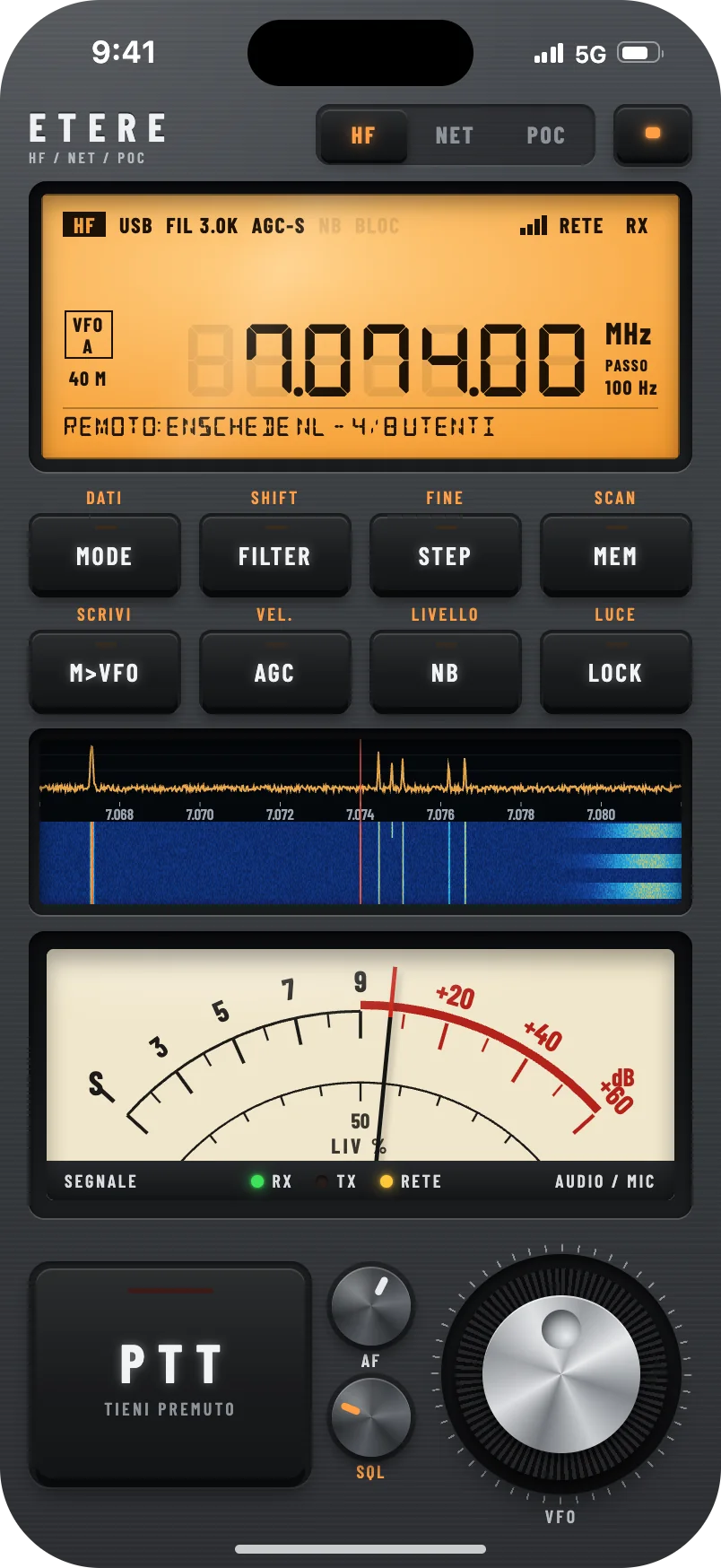
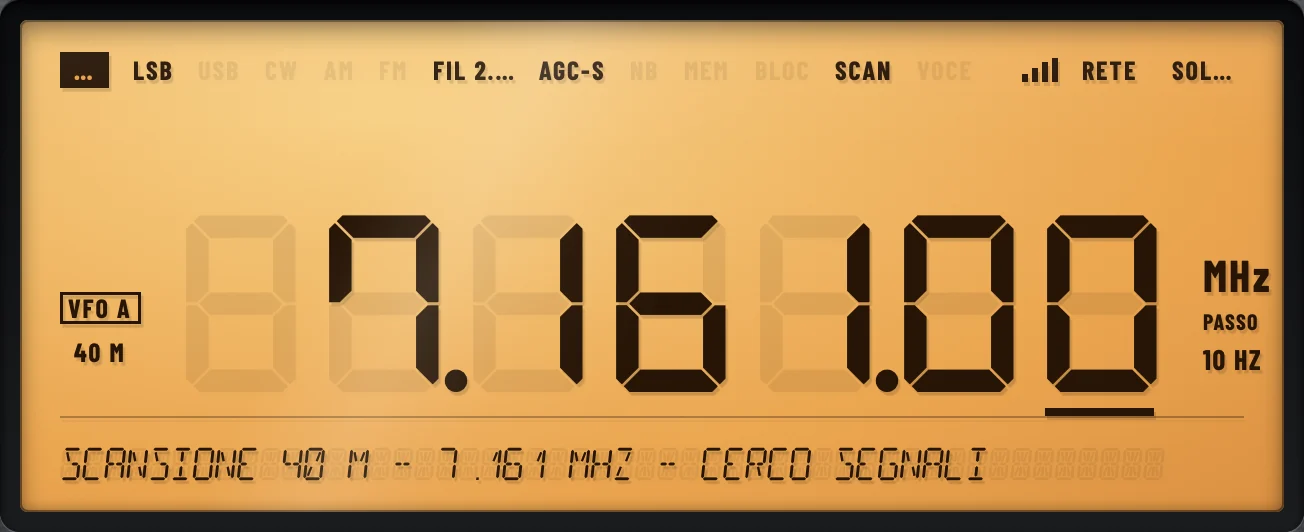
On Mac the panel sits on your desk like a piece of gear, with its own windows for stations, memories and decoding. On iPhone the same panel rearranges itself in portrait: display, keys, waterfall, S-meter, PTT and dial, all within reach of your thumb.
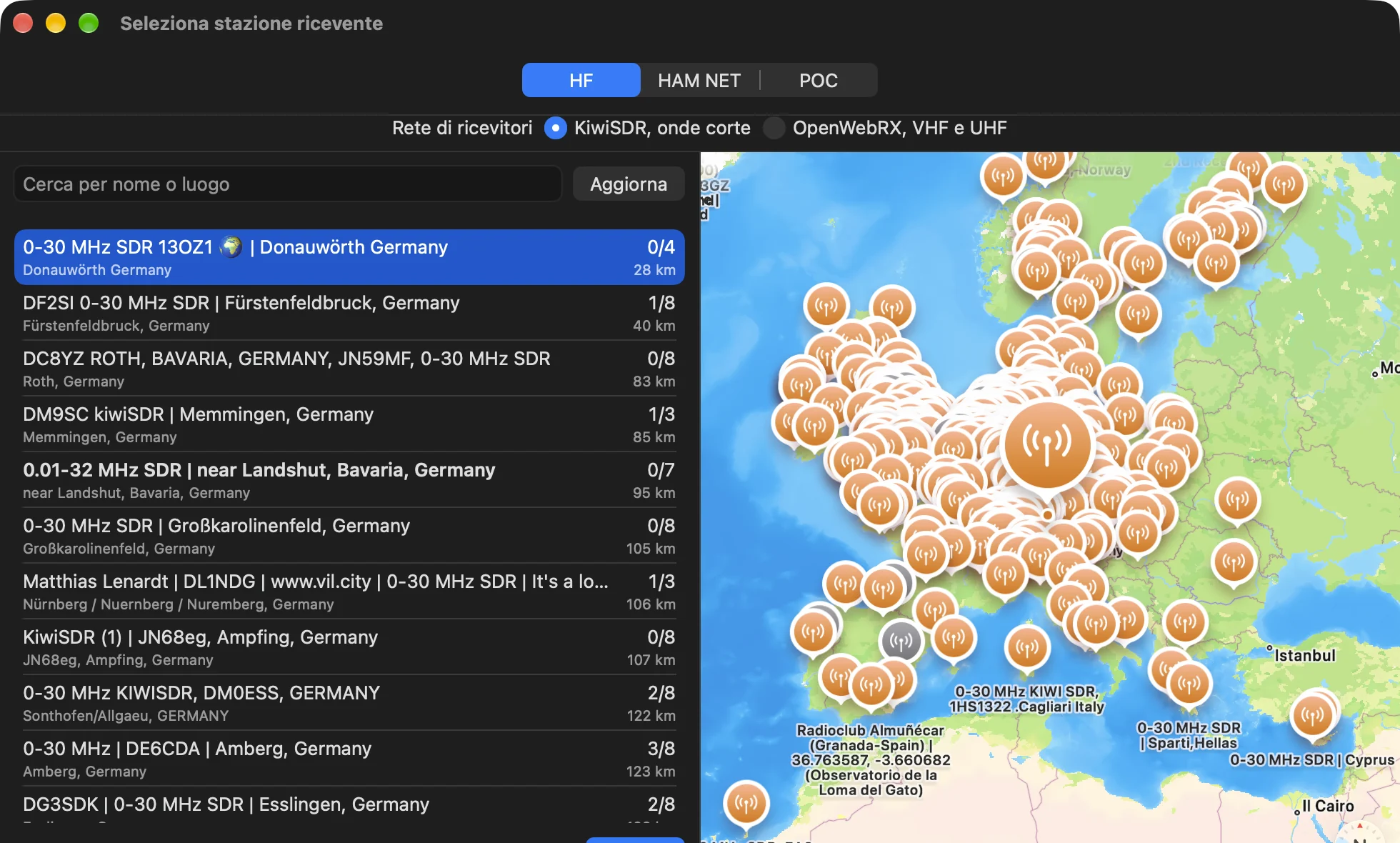
Every public receiver, on a map
Click the display and the station picker opens: receivers on a map, the closest at the top of the list, with distance and free places. HF, HAM NET and POC each have their own list.
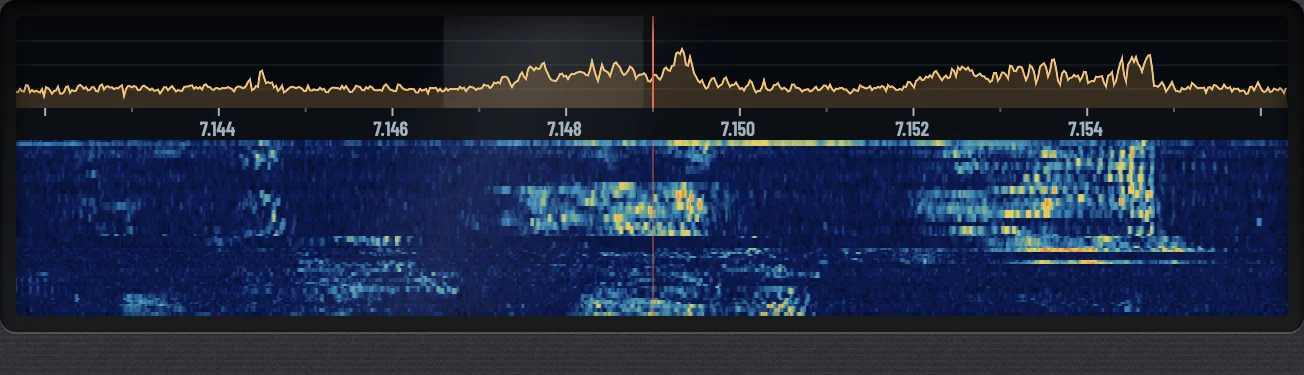
It reads what it hears
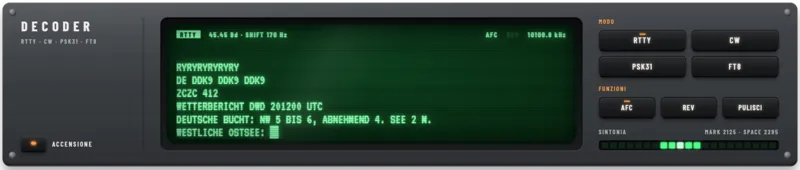
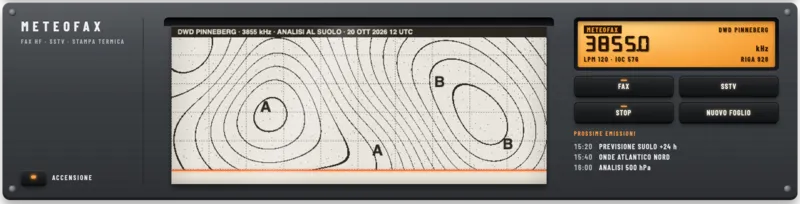
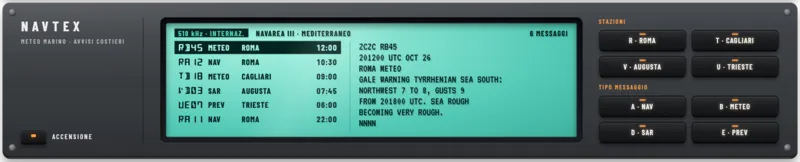
Tune to a digital signal and the auxiliary screen prints it as text. Etere.AI decodes Morse code, radioteletype, FT8, FreeDV digital voice, NAVTEX bulletins, weather fax charts and SSTV pictures, and can write down what people say on the air. All of it happens on your device.
- CW
- RTTY
- FT8
- FreeDV
- NAVTEX
- Fax
- SSTV
- Speech to text
A scan that stops for voices
Press SCAN and the dial sweeps the band. It skips carriers, data and noise, stops only when someone is talking, then fine-tunes the frequency so the voice comes through clear.
CATALOGUE 2026 / 27
Modules for the rack
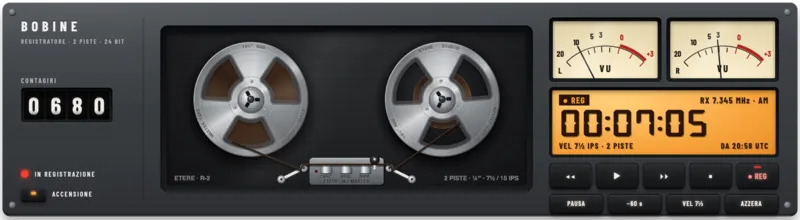
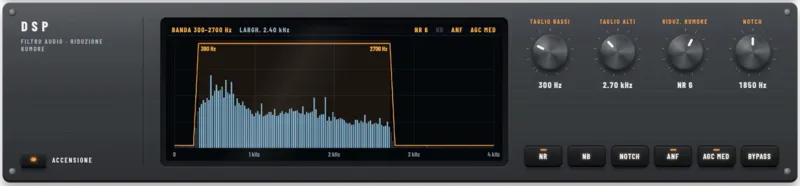
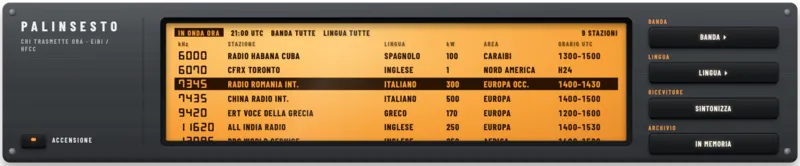
Eight rack units that stack above the transceiver, each with its own display and keys. Six are bought once on the App Store, one by one or in packs, from €2.99; Schedule and Memories are included.

- SDR Network
- INCLUDED
- Reels
- INCLUDED
- DSP / Filter
- INCLUDED
- Decoder
- INCLUDED
- Weather fax / SSTV
- INCLUDED
- NAVTEX
- INCLUDED
- Schedule
- INCLUDED
- Memories
- INCLUDED
Why Etere.AI
There are three ways to get on shortwave from a computer today: control your own radio from the desk, open a web receiver in the browser, or buy a transceiver and an antenna. Etere.AI needs no radio, gathers the web receivers behind one front panel, and adds the voice networks and the operator.
| Etere.AI | SDR Control for Icom | Ham Radio Deluxe | Web receiver in a browser | Desk transceiver | |
|---|---|---|---|---|---|
| What it is | Receiver and voice networks on one panel | Remote control of an Icom radio | Radio control, logbook and digital modes | One web page for each receiver | The radio itself |
| Radio needed | No | Yes: IC-705, IC-7610, IC-9700, IC-R8600, IC-7760 or IC-7300 | Yes, to control it | No | It is the radio, plus an antenna |
| Runs on | Mac and iPhone, one purchase | Mac | Windows | Any browser | n/a |
| Where you listen from | Hundreds of receivers worldwide, six kinds, the closest first | Your radio's antenna | Your radio's antenna | One receiver at a time | Your own antenna |
| When a receiver drops | It moves to the next one by itself | n/a | n/a | You look for another page | It doesn't: it's yours |
| Voice networks M17, AllStarLink, EchoLink, Mumble, Zello | All on the same panel | No | No | No | Extra hardware or one app for each |
| Decoding | CW, RTTY, PSK31, FT8, FreeDV, NAVTEX, fax, SSTV and speech to text | CW, RTTY, PSK, FT8/FT4, fax, SSTV | PSK, RTTY, CW, SSTV and more with DM780 | Depends on the receiver | Usually with a computer and separate software |
| Scanning | Stops only where someone is talking | The radio's own | The radio's own | By hand | Stops on any signal |
| AI operator | Write what you want and it turns the knobs | No | No | No | No |
| On iPhone | The same panel, in portrait | No | No | Pages made for a computer | No |
| Transmitting on the air | No, Etere.AI goes through the internet | Yes, with your radio and licence | Yes, with your radio and licence | No | Yes, with a licence and an antenna |
| Price | Free. Modules bought once, from €2.99, all six for €24.99 | $89.99, plus the radio | $99.95 with a year of new features, then $49.95 a year, plus the radio | Free | From about €1,300 to over €3,400, antenna not included |
Competitors' prices and features from their App Store pages and websites, October 2026.
Pricing
Etere.AI is free: listening, the voice networks, the operator and the logbook. The rack modules are bought once on the App Store, work on Mac and iPhone and are shared with your family.
10 minutes free a dayEvery module works in the app before you buy it, with DEMO on its front.
Etere.AI
Free
Mac and iPhone
- Full listening on HF, HAM NET and POC
- PTT on M17, AllStarLink, EchoLink and Mumble
- Voice scan, memories, schedule and scope
- AI operator
- CW decoding and speech to text
- Callbook card, ADIF export, QSL cards and iCloud between Mac and iPhone
All modules
€24.99
Once, for Mac and iPhone
- DECODER: RTTY, PSK31, FT8, FT4, DSC, FreeDV and beacons
- WEATHER FAX: fax charts and SSTV pictures
- NAVTEX: marine weather and warnings
- SDR NETWORK, DSP and TAPE
- The modules coming in the 2026 / 27 edition
- Or one by one from €2.99: LISTENING pack €8.99, DECODING pack €14.99
Prices on the euro App Store, tax included; elsewhere the local App Store price applies. Each module can be tried for ten minutes a day before you buy it. The operator's free sentences use credits: 20 come free, then 500 credits cost 3.99 €.
Listening is open to everyone. Transmitting is not.
Anyone can listen to the shortwave, VHF and UHF receivers. Talking on M17 reflectors, AllStarLink nodes and EchoLink means transmitting on amateur radio networks: you need an amateur radio licence and your own callsign, and the rules of your country apply.
Mumble and Zello are internet voice services. They need no radio licence, only an account where the service asks for one.
Coming soon to the App Store
The App Store link will be here as soon as Etere.AI is published, for Mac and iPhone.