DJI FCC mode, unlocked from an iPhone.Free. Open source. No licence to renew.

FreeFCC is an open-source iOS app that switches a DJI RC-N1, RC-N2 or RC-N3 from CE to FCC radio power over the same cable you already use for DJI Fly. No jailbreak, no PC, no server, no account, no UDID. Confirmed on real hardware with an RC-N3 and a DJI Neo.

  • Confirmed on RC-N3 + DJI Neo
  • iOS 17 or later, native MFi
  • GPL-3.0, free forever
  • Works offline, no tracking
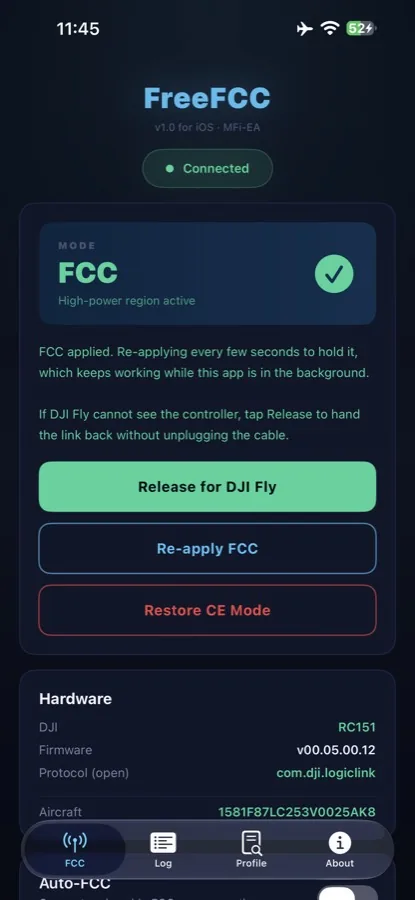
FreeFCC running on an iPhone: FCC mode active, high-power region, with Release for DJI Fly, Re-apply FCC and Restore CE Mode buttons
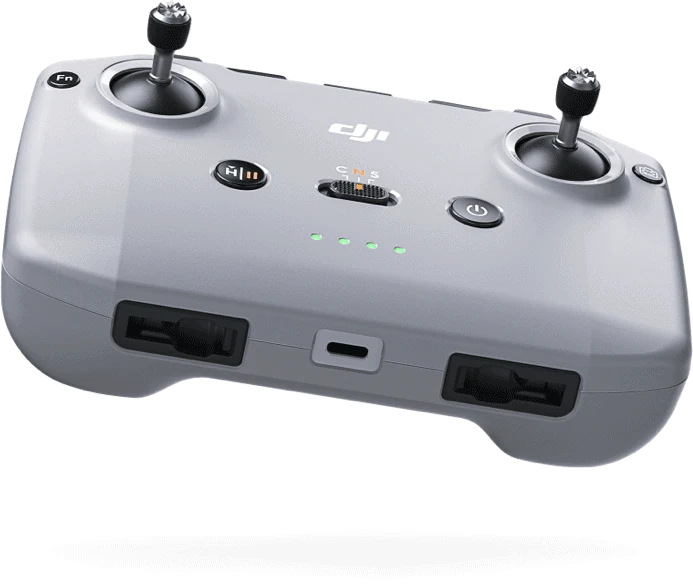
DJI RC-N series remote controller with the phone cradle on top DJI Neo in flight linked aircraft 1581F87L… the real app, v1.4
2.4 GHz20 dBm
power100 mW
reach1.0×


DJI FCC vs CE: what actually changes

Same controller, same aircraft, a different country code. CE is the European region and it caps the radio. FCC is the US region and it lets the radio run at the power DJI designed it for. The numbers below are DJI's own limits for the RC-N3.

  • 33 dBmon 2.4 GHz in FCC mode, about 2 W, against 20 dBm in CE, about 100 mW. That is 13 dB more.
  • 33 dBmon 5.8 GHz in FCC mode, against 14 dBm in CE, where the band is barely usable.
  • 4.5×the theoretical free-space distance at the same signal quality. Real range depends on terrain, interference and how you fly.
  • More channelsFCC opens channels and the full 5.8 GHz band that CE keeps closed, so the link has more room to dodge interference.

Reaching FCC is a single WiFi Set Country Code frame with US in it, delivered to the right component inside a service-mode window. Finding that out on real hardware is what this project is.

Transmitter power, RC-N3 spec sheet
2.4 GHz 20 dBm (100 mW) 5.8 GHz 14 dBm (25 mW) 0 12 24 36 dBm Theoretical reach, free space 1.0× same receiver, same antenna, same noise +13 dB of power is 4.5× the distance controller

DJI's published limits for the RC-N3 (2.4 GHz: 33 dBm FCC, 20 dBm CE; 5.8 GHz: 33 dBm FCC, 14 dBm CE). Illustration, not a live measurement.

Confirmed on hardware, not in a simulator

An RC-N3 cabled to an iPhone, a DJI Neo in the air, and the DJI Fly Transmission graph showing FCC power with the signal reaching well past the 1 km reference. Three things had to be right, and finding them was the work.

DJI Fly Transmission graph: a clean 2.4 GHz noise floor at -110 dBm with the active channel highlighted, recorded with FCC power active on an RC-N3 and a DJI Neo

DJI Fly, Transmission tab. 2.4 GHz spectrum recorded with FCC power active on an RC-N3 and a DJI Neo, straight from the phone that ran the unlock.

  • The channel is com.dji.logiclink

    One of the two MFi protocol strings DJI does not publish. A build declaring only the three documented strings never sees the controller, because iOS hides an accessory whose protocols you did not declare. The string was read off the hardware.

  • The region is set by country code US

    The command is the WiFi Set Country Code the controller already accepts. The country it carries is what decides CE or FCC. Everything else in the sequence exists to deliver that frame to the right component, inside the right window.

  • The aircraft must be linked when you apply

    Not just powered on. The frames reach the controller and stop there until it is relaying to a drone. The app shows a green link line with the aircraft serial once the drone is there.

One honest limit. This firmware answers no region-read command, so the app cannot read the mode back. The DJI Fly Transmission graph is the confirmation, and reading the region back is an open issue on GitHub.

What the app does, and what it does not do yet

Every capability below is either confirmed on hardware or marked as work in progress. Nothing here is a promise.

ConfirmedFCC radio power
Switches the radio from CE to FCC. On 2.4 GHz that is 33 dBm instead of 20 dBm, roughly 2 W against 100 mW, plus full power on 5.8 GHz and more channels to pick from.
ConfirmedNative MFi link
Talks to the controller over the same certified accessory channel DJI Fly uses. No jailbreak, no Windows tool, no Android phone, no second device.
ConfirmedAuto-hold in the background
FCC lives in RAM on the controller. The app re-applies it on an interval while it holds the link, so FCC survives DJI Fly reconnecting when you follow the power-cycle sequence.
ConfirmedReadable, every byte
Each command the app sends is a plain JSON profile you can open on the Profile tab: sender, frame, payload, and a note saying what the frame is for.
ConfirmedOffline by design
No server, no account, no analytics, no network permission. The activity log stays on your phone and you can export it yourself to help the project.
Work in progress500 m altitude ceiling
The app writes max_height = 500 and the flight controller acknowledges it, but the aircraft reads back 120 m, so the ceiling is enforced drone-side. The parameter that lifts it is being reverse engineered in the open.

FreeFCC vs Drone-Tweaks and Drone-Hacks: free against paid FCC mods

Paid FCC mods have existed for years, and they work. What they charge for is a licence tied to your device or your drone, renewed every year, for a closed app you cannot inspect. On Android, free open-source FCC apps for the RC-N1 have been around for a while. On iPhone there was nothing free until now.

Criterion FreeFCCthis project, open source Drone-TweaksFCC mod for DJI Fly for iOS Drone-HacksWindows app, per-aircraft mods
Price Free, GPL-3.0. Nothing to buy, ever. €39.99 per iOS device, €65.99 for iPhone and iPad, €49.99 for the RC 2 or RC Pro version. Paid licence per aircraft, priced by model on drone-hacks.com.
Licence None. Build it once with a free Apple ID. One device, signed to your UDID, about 12 months of updates, then renew. Per drone, tied to that aircraft.
Where it runs On the iPhone, over the MFi cable. No PC. On the iPhone or iPad, as a separate signed app. On a Windows PC with the drone cabled over USB.
Source code Open. Every frame is a JSON profile you can read before it is sent. Closed. Closed.
Server, account, tracking None. The app has no network access. Licence delivery and renewal through the vendor. Licence activation through the vendor.
Controllers RC-N1, RC-N2, RC-N3. Screen controllers are out of scope. Standard controllers, plus DJI RC, RC 2 and RC Pro with the dedicated versions. Works on the aircraft itself, plus RC Pro.
Beyond FCC 500 m altitude and Sport speed are open issues, worked on in public. FCC, plus AirSense on the Mavic Air 2 version. FCC, no-fly-zone removal, altitude limit, acceleration.
Install effort A Mac with Xcode once, then Run. Not a tap-to-install. Send your UDID, tap the link, install. Windows PC, USB cable, patch the aircraft.
Confirmed hardware RC-N3 + DJI Neo confirmed. Other pairs: testers wanted. 25+ aircraft listed, Neo, Neo 2, Mini 5 Pro and Lito included. Mini 4 Pro, Mini 3 Pro, Air 3, Mavic 3, Neo among others.

Drone-Tweaks prices and terms as listed on drone-tweaks.com on 6 September 2026. Drone-Hacks details from drone-hacks.com and its public wiki on the same date. Both are third-party products, not tested by this project, and their lists change with DJI firmware.

Where the paid mods win, todayThey cover more aircraft and the screen controllers, and they install with a tap. If you own a DJI RC 2 and want FCC this afternoon, that is what they are for.
Where FreeFCC winsIt costs nothing, it never expires, it runs on the phone you already fly with, and you can read every byte it sends. When something changes in DJI firmware, the fix is a pull request, not a renewal.

Four screens, no settings to get wrong

Connect, enable, read the log, inspect the profile. The app is built to be understood, not just used.

FreeFCC main screen: FCC mode active, with Release for DJI Fly, Re-apply FCC and Restore CE Mode buttons, and the connected RC-N3 hardware details
FCC activeConnect, enable, hold. Release the link to DJI Fly without unplugging.
FreeFCC activity log: connection over com.dji.logiclink, aircraft detected with its serial, sweep of four paths and response counts
Activity logEvery step, every response count, with the path your hardware answered on.
FreeFCC profile screen listing the JSON command profile, frame by frame, with a note for each frame
Command profileThe JSON the app sends, frame by frame, readable before you tap anything.
FreeFCC about screen with the disclaimer, the licence and the link to the GitHub repository
AboutThe disclaimer, the licence, and the link to the source.

Works with DJI RC-N series controllers

FCC mode for DJI Neo, Flip, Mini, Air and Mavic: compatible controllers and aircraft

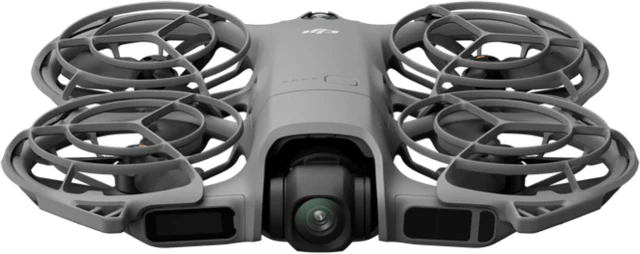
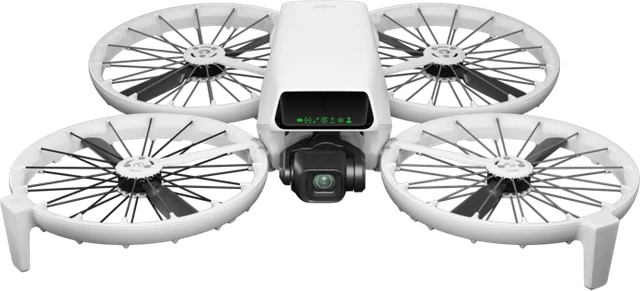
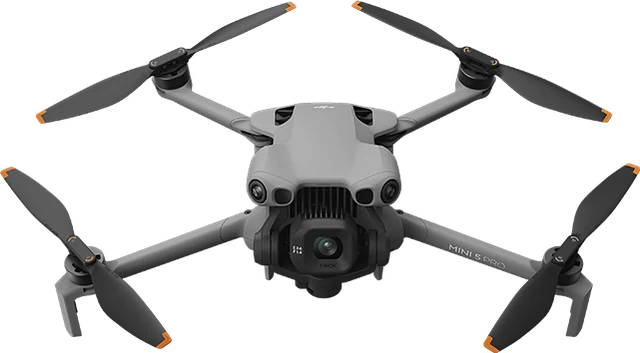
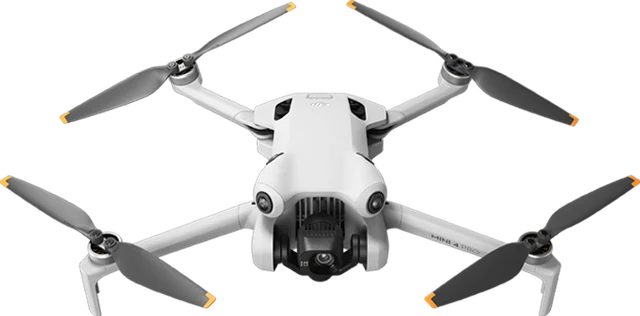
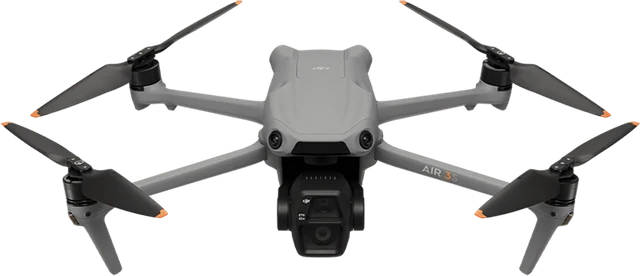
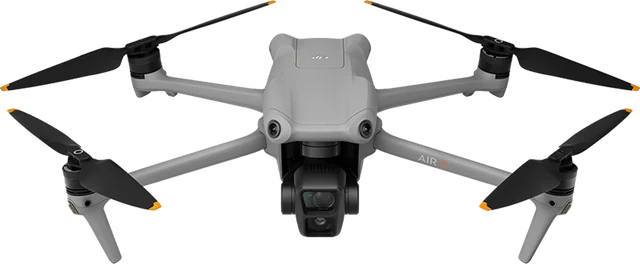
FreeFCC talks to the controller, and the controller relays to whatever aircraft it is linked to. So compatibility has two halves: the controller must be an RC-N model with a phone cradle, and the aircraft must be one DJI pairs with that controller. FCC mode on a DJI Neo, Neo 2, Flip, Mini 4 Pro, Mini 5 Pro, Air 3 or Air 3S goes through the same RC-N3 and the same frames.

In scope: RC-N1, RC-N2, RC-N3The phone-cradle controllers. The iPhone plugs into the top USB-C port and the app opens the MFi channel over that cable.
Out of scope: DJI RC, RC 2, RC Pro, RC PlusScreen controllers have no phone cable, so there is nothing for an iPhone to talk over. FPV motion controllers are out for the same reason.

DJI RC-N3 2024, O4 transmission

The controller the project was developed and confirmed on. Ships with the Neo, the Flip, the Mini 5 Pro and the Mini 4 Pro bundles, and DJI keeps adding aircraft to it.

Confirmed on hardware with DJI Neo

DJI RC-N3 remote controller, top view, phone cradle folded
RC-N3, iPhone in the top cradle port
  • DJI NeoDJI NeoFCC confirmed
  • DJI Neo 2DJI Neo 2testers wanted
  • DJI FlipDJI Fliptesters wanted
  • DJI Mini 5 ProDJI Mini 5 Protesters wanted
  • DJI Mini 4 ProDJI Mini 4 Protesters wanted
  • DJI Air 3SDJI Air 3Stesters wanted
  • DJI Air 3DJI Air 3testers wanted
  • DJI Avata 360testers wanted
  • DJI Lito 1testers wanted
  • DJI Lito X1testers wanted

Everything DJI lists for the RC-N3: Neo, Neo 2, Flip, Mini 5 Pro, Mini 4 Pro, Air 3S, Air 3, Avata 360, Lito 1, Lito X1.

DJI RC-N2 2023, O4 transmission

Launched with the Air 3. Same body, same top-port cable, same MFi channel and the same DUML commands as the RC-N3, so the sequence is expected to apply unchanged. What is missing is a log from a real unit.

Same protocol, testers wanted

DJI RC-N2 remote controller, angled view
RC-N2, iPhone in the top cradle port
  • DJI Air 3DJI Air 3testers wanted
  • DJI Air 3SDJI Air 3Stesters wanted
  • DJI Mini 4 ProDJI Mini 4 Protesters wanted
  • DJI NeoDJI Neotesters wanted
  • DJI FlipDJI Fliptesters wanted

Everything DJI lists for the RC-N2: Air 3, Air 3S, Mini 4 Pro, Neo, Flip.

DJI RC-N1 2020, model RC231, O2 and O3 transmission

The controller of the Mavic Air 2 generation, still bundled up to the Mini 3 and the Mavic 3 series. Older radio, same cradle, same cable, same MFi channel. A log from an RC-N1 is the most requested contribution on the project.

Same protocol, testers wanted

DJI RC-N series controller, top view; the RC-N1 shares this body
RC-N1, same body as the newer models
  • DJI Mini 3DJI Mini 3testers wanted
  • DJI Mini 2 SEDJI Mini 2 SEtesters wanted
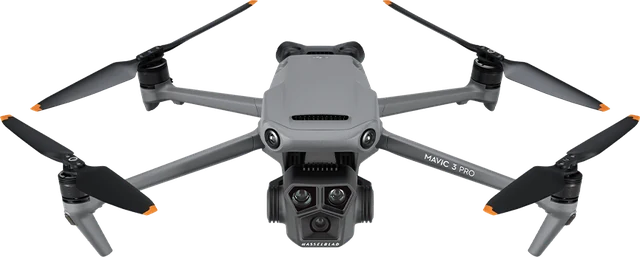
  • DJI Mavic 3 ProDJI Mavic 3 Protesters wanted
  • DJI Mini 3 Protesters wanted
  • DJI Mini 2testers wanted
  • DJI Air 2Stesters wanted
  • DJI Mavic Air 2testers wanted
  • DJI Mavic 3testers wanted
  • DJI Mavic 3 Classictesters wanted
  • DJI Mavic 3 Cinetesters wanted

Everything DJI lists for the RC-N1: Mavic Air 2, Air 2S, Mini 2, Mini 2 SE, Mini 3, Mini 3 Pro, Mavic 3, Mavic 3 Classic, Mavic 3 Pro, Mavic 3 Cine.

Aircraft lists follow DJI's published compatibility for each controller as of September 2026, and DJI extends them with firmware updates. "Compatible" here means the controller pairs with that aircraft. FCC power through FreeFCC is confirmed only where marked, and every other pair is exactly what the project is asking testers to try, no coding needed, just the app and a log.

Using it: the order matters

The controller relays commands to the aircraft only after DJI Fly has woken that link, and the link stays warm for a while after DJI Fly closes. That warm window is what the app needs.

Applying FCCSix steps, about a minute.

  1. Power on the drone and the controller, wait for them to pair.
  2. Open DJI Fly first and wait until it shows the drone connected with a live camera feed. This wakes the controller-to-aircraft link. Skipping it is why an apply gets 0 responses even with the drone detected.
  3. Close DJI Fly, swipe it away.
  4. Cable the iPhone to the top USB port of the controller, the phone-cradle port. The bottom port only charges.
  5. Open FreeFCC, tap Connect, wait for the green line with the aircraft serial, then tap Enable FCC Mode and let the sweep finish. A line like profile@02/RCLink: 38 responses means the aircraft answered.
  6. Do not reopen DJI Fly straight away. Reopening it right after the unlock drops the radio back to CE every time. Follow the sequence on the right instead.

Making FCC stickConfirmed on hardware, RC-N3 and DJI Neo.

  1. Start DJI Fly, let the drone link, then run the unlock in FreeFCC: Connect, then Enable FCC Mode.
  2. Close DJI Fly.
  3. Power the controller off, then the drone off.
  4. Power the controller back on, with the iPhone still cabled and FreeFCC still holding the link.
  5. Power the drone back on and let it relink.
  6. Open DJI Fly, Transmission tab. FCC power is there and holds, matching the graph higher up on this page. If it ever reverts, repeat from step 1.

How it works: five links in the chain

The app opens an ExternalAccessory session on the controller's MFi protocol and speaks DUML over the stream, the same command protocol DJI Fly uses. Knowing where each link sits is knowing where an apply can fail.

  1. iPhone, FreeFCC

    Builds each DUML frame with its CRC-8 and CRC-16, wraps it in the link envelope, keeps the session alive with a keepalive.

  2. USB-C cable, top port

    Opens an EASession on com.dji.logiclink. The bottom port is charging only and carries no data channel.

  3. RC-N controller

    Handles the radio and WiFi frames itself. Country code US inside one service-mode window moves the region to FCC.

  4. OcuSync / O4 radio link

    Relays flight-controller frames to the aircraft only while the drone is linked. This is where a silent apply is born.

  5. Aircraft

    Owns the flight-controller parameters, altitude and speed among them, and streams telemetry back, serial number included. Seeing the serial means the chain is complete.

The frames, readable before they are sent

The FCC profile is a JSON file in the app bundle. The whole burst has to land inside the service-mode window that the first frame opens and the last one closes: 30 ms per frame puts a two-round pass at about 1.5 seconds. Stretch it past a few seconds and the radio silently stays on CE.

Each apply sweeps several sender and framing combinations and counts the responses, so the log names the path your hardware answered on. A one-frame CE restore profile puts the radio back to its factory region.

The full walkthrough, protocol and frames, transport, the service-mode window, the sweep and every hardware finding, is in the technical documentation on GitHub, in English, with an Italian version alongside it.

// fcc.json, excerpt. s = sender, i = command id, d = destination, p = payload
{ "s": 16, "i": 88,  "d": 18,  "p": "030100",               AUTOTEST enter service mode }
{ "s": 6,  "i": 114, "d": 6,   "p": "00000000000100",       RADIO set region param, FCC }
{ "s": 3,  "i": 249, "d": 3,   "p": "8a237103f401",         FLYC max_height = 500 (0x01F4) }
{ "s": 7,  "i": 48,  "d": 9,   "p": "55530000555300000100", WIFI country code US, 2.4 GHz }
{ "s": 7,  "i": 48,  "d": 9,   "p": "55530000555300000100", WIFI country code US, 5.8 GHz }
{ "s": 6,  "i": 114, "d": 6,   "p": "000000000001ff",       RADIO commit region change }
{ "s": 16, "i": 88,  "d": 18,  "p": "030100",               AUTOTEST exit service mode }

// 22 frames in total, 2 rounds, 30 ms between frames, re-applied every 4 s while holding
Build and install in three commands

This is a sideload for your own hardware, not an App Store build: it opens DJI's MFi protocol strings and changes a regulatory radio setting, two things a store build could never ship.

  • Xcode 26 or later on a Mac
  • iOS 17 or later on the iPhone
  • An Apple ID signed in to Xcode. A free account is enough, no paid developer programme needed.
  • An RC-N1, RC-N2 or RC-N3 and the USB-C cable that came with it

Generate the project, open it, pick your iPhone as the destination and press Run. The project signs with the team wildcard profile, so there is no App Store Connect setup. The first launch on a free account needs the developer profile trusted once in Settings, then it just works.

Open the repository
# clone
git clone https://github.com/andreapianidev/DJI-FCC-Unlock-iOS.git
cd DJI-FCC-Unlock-iOS

# generate the Xcode project (once)
brew install xcodegen
xcodegen generate

# open, pick your iPhone, Run
open FreeFCC.xcodeproj

Questions people ask before they plug in

What is the difference between DJI FCC and CE mode?

CE is the European radio region: DJI caps the 2.4 GHz link at 20 dBm EIRP, about 100 mW, and 5.8 GHz at 14 dBm. FCC is the US region: 33 dBm on both bands, about 2 W, with more channels available. Same controller, same aircraft, a different country code. In free space 13 dB of extra power is roughly 4.5 times the distance at the same signal quality.

Is there a free alternative to Drone-Tweaks for iPhone?

Yes, this one. FreeFCC is a free, GPL-3.0 open-source FCC unlock that runs natively on iPhone with an RC-N1, RC-N2 or RC-N3 controller. Drone-Tweaks sells its FCC mod for DJI Fly on iOS for €39.99 per device, signed to your UDID, with updates for about 12 months. FreeFCC has no licence, no UDID registration and no renewal: you build it once in Xcode with a free Apple ID.

Does FCC mode work on the DJI Neo, Neo 2, Flip, Mini 4 Pro, Mini 5 Pro and Air 3S?

FreeFCC changes the region on the controller, so it applies to every aircraft the RC-N controller is linked to. FCC power is confirmed on hardware with an RC-N3 and a DJI Neo. The Neo 2, Flip, Mini 4 Pro, Mini 5 Pro, Air 3 and Air 3S pair with the same controller and are expected to behave the same, and the project is collecting logs from testers to mark each one confirmed.

Is FCC mode legal where I fly?

That depends on your country. In the EU and most CE regions the legal ceiling on 2.4 GHz is 20 dBm EIRP, and FCC mode transmits above it. Using it may require authorisation from your regulator or may simply not be allowed. FreeFCC is published for education and research; you are responsible for complying with local law. If you are not sure whether this is legal where you live, do not use it.

Do I need a jailbreak or a computer?

No jailbreak. FreeFCC talks to the controller over the same MFi accessory channel DJI Fly uses, from a normal iPhone. You need a Mac with Xcode once, to build the app with a free Apple ID and put it on your phone. After that nothing else is required and nothing runs on a server.

Which DJI controllers work with FreeFCC?

The phone-cradle controllers: DJI RC-N1, RC-N2 and RC-N3. FCC power is confirmed on hardware with an RC-N3 and a DJI Neo. RC-N1 and RC-N2 use the same MFi link and the same DUML commands, and the project is collecting test logs for them. Screen controllers such as DJI RC, RC 2 and RC Pro have no phone cable and are out of scope.

Does FCC mode survive reconnecting DJI Fly?

Not by itself. DJI Fly renegotiates the region when it connects and the radio falls back to CE. FreeFCC re-applies FCC on an interval while it holds the link in the background, and the power-cycle sequence in the Using it section keeps FCC in place when DJI Fly reopens, confirmed on hardware.

Is the 500 m altitude unlock working?

Not yet. The app writes max_height = 500 and the flight controller acknowledges it, but reading the value back the aircraft still reports 120 m, so the 120 m ceiling is enforced on the drone, not only inside DJI Fly. The parameter that governs a real 500 m unlock is still being reverse engineered in the open, issue #1 on GitHub. FCC power is a separate mechanism and works.

Does FreeFCC collect any data?

No. It has no server, no account, no analytics and no network access. Every byte it sends to the controller is a plain JSON profile you can read inside the app, and the activity log stays on your phone until you decide to share it.

Will this void my DJI warranty?

It may. Changing a regulatory radio setting can void your warranty and DJI Care Refresh coverage. FreeFCC ships a CE restore profile that puts the radio back to its factory region with one tap, and FCC itself lives in RAM, so a full power cycle without the app returns the controller to CE.